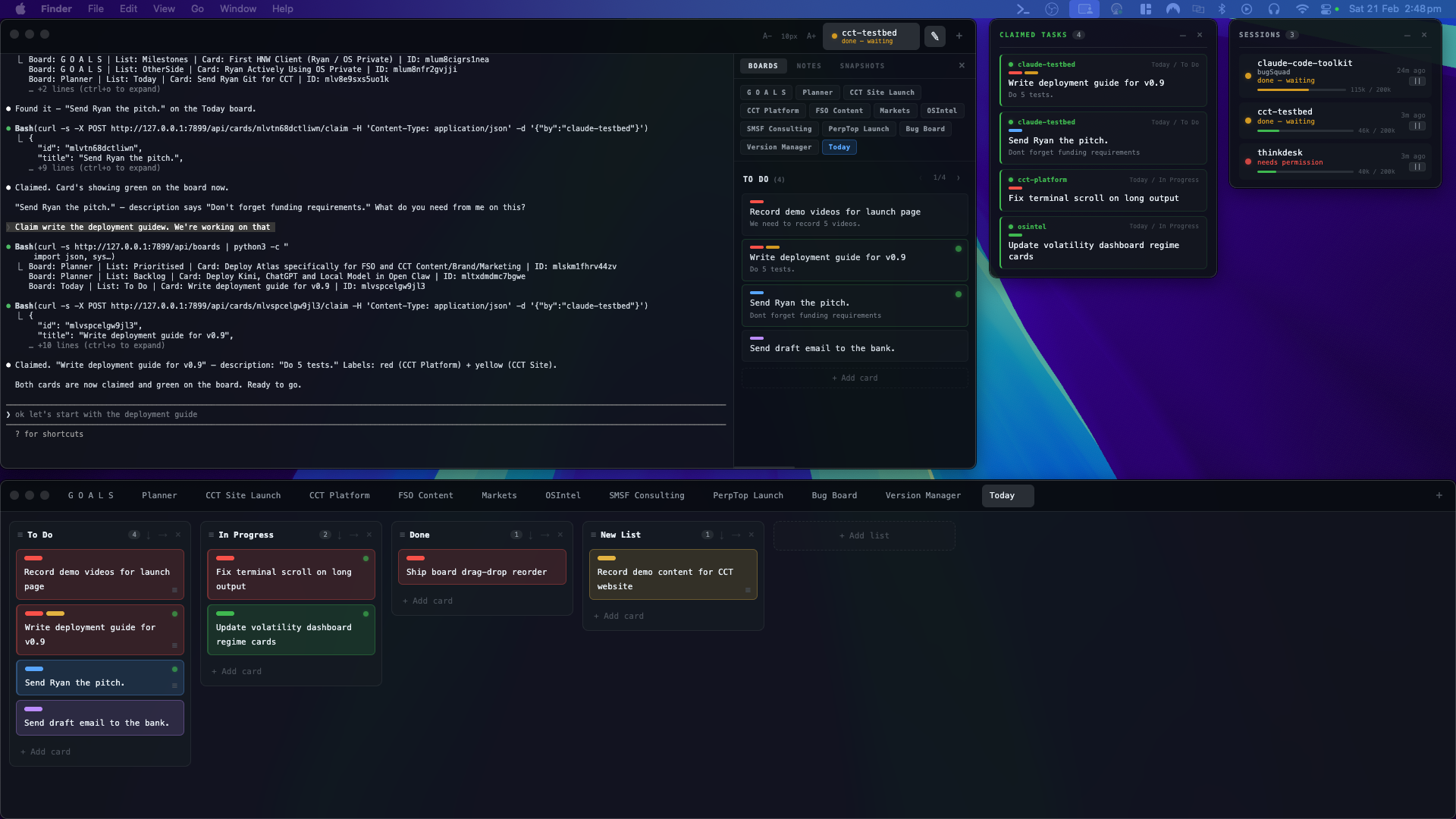
Not just a terminal — a modular workspace you shape around your workflow. Drop in the tools you need: boards, terminals, dashboards. Claude reads, writes, and executes across all of it. Your setup. Your system. Powered by Claude. Everything local.
Workflow terminal
Every tab shows live session status so you always know what’s working, what’s waiting, and what needs you. Claude auto-launches and reads your CLAUDE.md on open.
Open tab → Claude loads → session live → build.
Boards + Claimed Work
Open the drawer. Your board is there. Browse lists, edit cards, create tasks — without leaving your terminal.
Claude reads your board, creates cards, moves them between lists, and claims what it’s working on.
The Claimed Work Widget shows every active task across all sessions — live.
No MCP server. No API keys. No cloud.
Drawer open → boards right there → Claude claims tasks → widget shows everything live.
What's inside
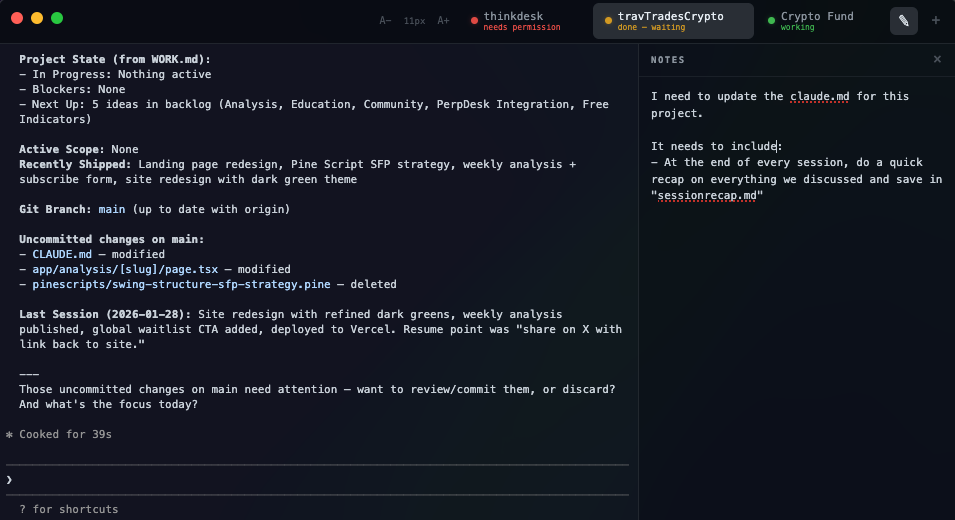
Each tab shows live session status — so you know exactly what Claude is doing.
Open a tab and Claude launches automatically, reading your CLAUDE.md on startup.
Boards, notes, and snapshots slide in when you need them. Plan, capture, and review without leaving your workspace.
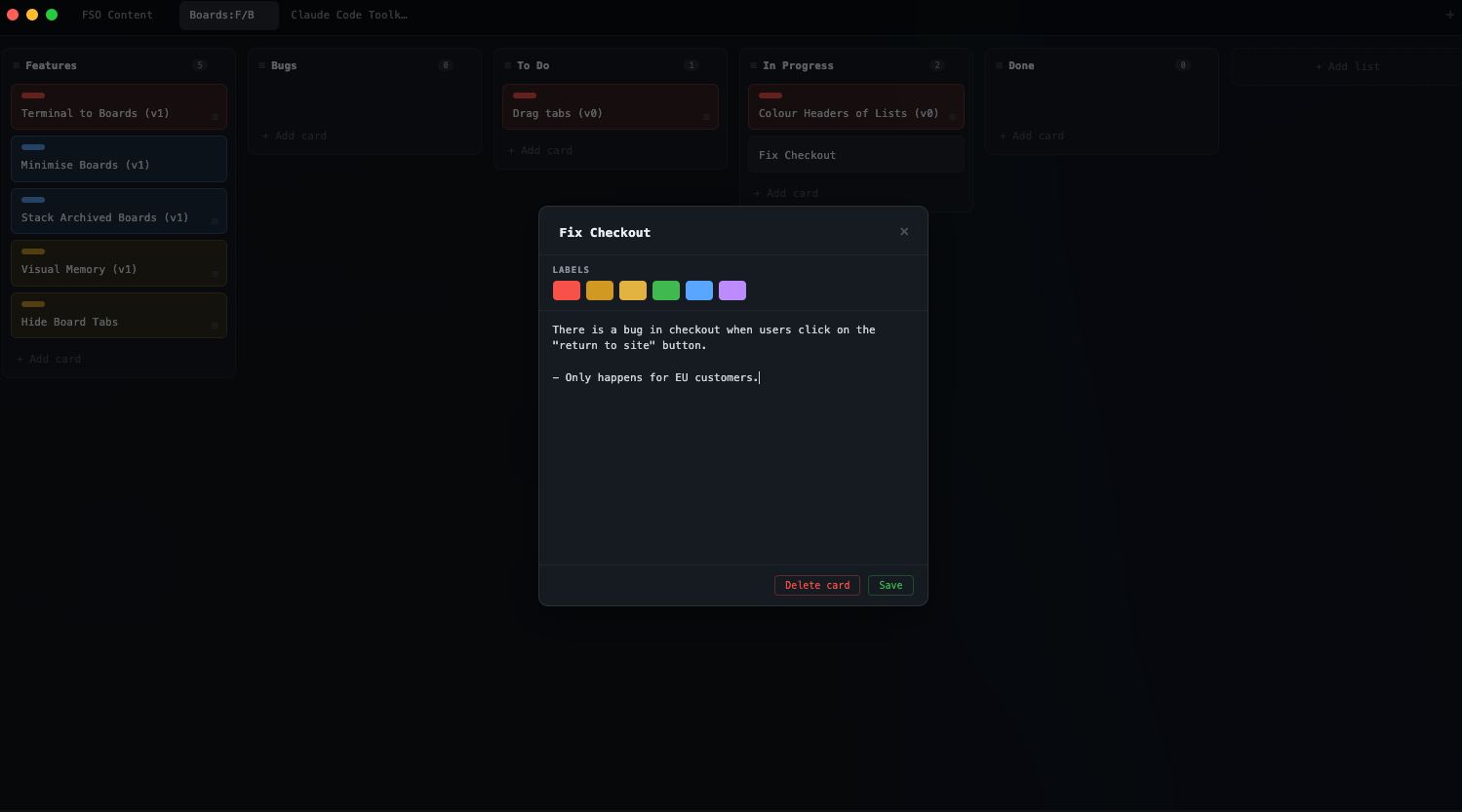
Manage delivery pipelines. Create prompt libraries. Run autonomous workflows. Track execution across sessions.
The board isn’t just for tasks. It’s your operating layer for Claude.
You design the system, or let Claude.
A standalone floating widget that shows every task card Claude has claimed across all boards and sessions. Green pulsing indicators. Real-time updates. Always on top.
Think of it as your dispatch view — at a glance, you see what Claude is working on right now.
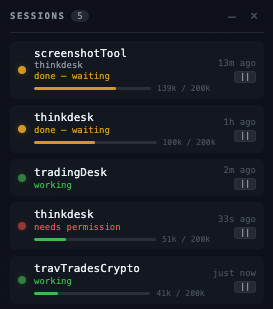
Running sessions across multiple projects? This shows every active Claude session on your machine. Which ones are waiting on you. Which ones are working. How much context each one has left. You see problems before they cost you — not after. Collapses to a compact toolbar when you need screen space.
Screenshots land directly in your session.
One hotkey. The file drops straight into your terminal and project folder.
No desktop clutter. No copy-paste juggling.
Capture it — Claude already sees it.
Setup
Buy once, download the DMG. Drag to Applications. No account, no subscription, no telemetry.
First launch: right-click → Open. Grant Accessibility when prompted (for screenshot hotkeys).
Paste your license key from the purchase receipt. One key, up to 5 machines.
Look for the icon in your menu bar. Click it. Everything is right there.
Pricing
Claude Code Toolkit
$24 USD
One-time purchase · Lifetime access · No subscription
FAQ
What do I need to run this?
macOS on Apple Silicon (M1 or later). Claude Code installed — the toolkit runs on top of it.
What about updates?
This version includes everything listed on this page. Future major versions will be released separately — no forced upgrades, no surprise charges.
Why isn’t it signed or on the App Store?
This is an indie tool built by one person. You’ll need to right-click → Open on first launch to approve it through Gatekeeper. After that, it runs normally.
Can Claude access my task boards?
Yes — full read and write access. Boards are stored locally as a JSON file that Claude reads natively. A localhost API gives Claude write access to create cards, move them between lists, and claim what it’s working on with a live indicator. No MCP server, no API keys, no cloud. See how it works →
Does it collect any data?
No. Zero telemetry. Everything stays on your machine. The only network call is license validation during activation.
Will this work on Intel Macs?
Currently Apple Silicon only.
What’s the drawer system?
A slide-out panel in every terminal tab with three tabs: Boards, Notes, Snapshots. Browse and manage your boards, jot session notes, capture terminal state — all without leaving your terminal.
What is Visual Memory?
Cmd+Shift+S captures your terminal buffer as a markdown snapshot with timestamp and context usage %. Useful for reviewing what happened in a session or preserving state before context runs out.
What’s the Claimed Work Widget?
A floating always-on-top window showing every task card Claude has claimed across all boards and sessions. Green pulsing indicators. Real-time updates. Think of it as your dispatch view — at a glance, you see what Claude is working on right now.
Your workspace. Your board. Your dispatch view.
$24. No subscriptions. No telemetry.